 Victor Arias
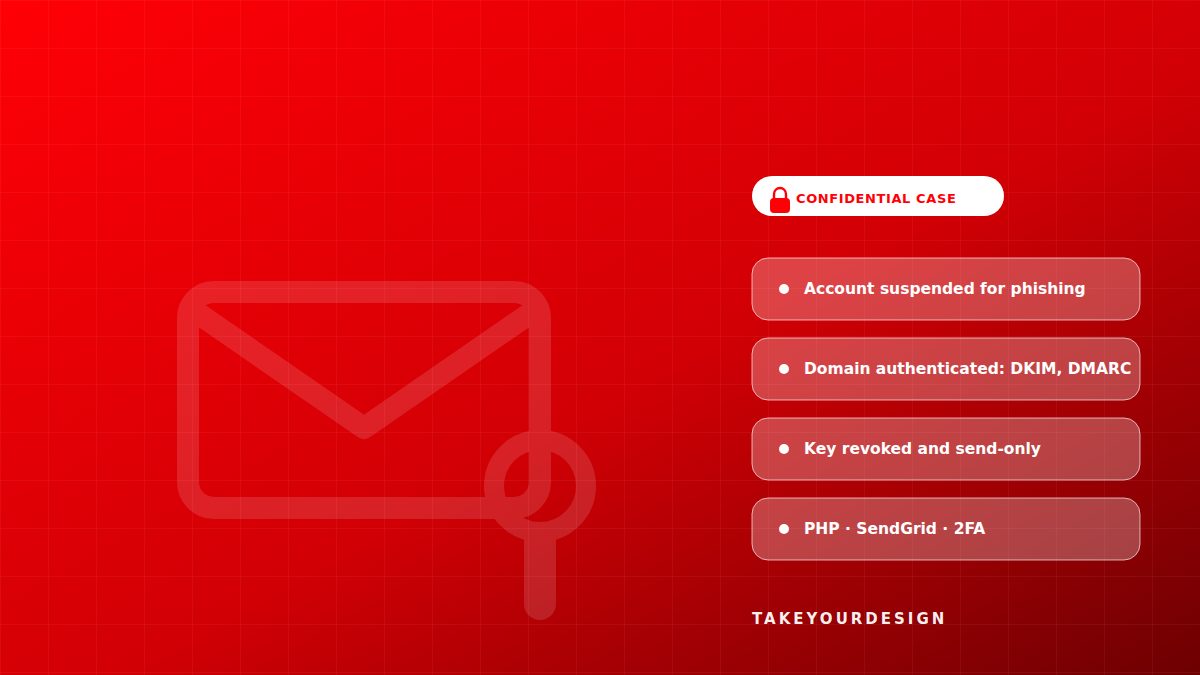
Transactional email for a freight and logistics company stopped being delivered on 30 September: the SendGrid account was suspended because someone had used the API key — written into the code — to send phishing. DNS was fine. In three days the domain was authenticated in SendGrid (DKIM signing by CNAME, verified sender and DMARC in monitoring mode), the compromised key was revoked and replaced by a send-only one across the three components, and the client changed the password and enabled two-step verification. The account was reactivated and delivery was verified with Delivered and DKIM and DMARC passing; the emails that never left were resent.
| Client | Freight and logistics company |
| Confidentiality | Client name, screenshots and links are omitted at the client's request. The diagrams describe the solution and the techniques applied. |
| Industry | Freight and logistics |
| Service | Cybersecurity |
| Stack | PHP, SendGrid, DKIM, SPF, DMARC, Send-only API keys, Two-step verification (2FA) |
| Duration | 3 days |
| Our role | Analysis of the site's critical points, fixing the failures that blocked sending, SendGrid domain authentication, revocation and rotation of the compromised key, and incident documentation for the provider. |
| Published | October 19, 2026 |
A freight and logistics company sends the emails its operation depends on straight from its platform: quotes, notices and customer notifications. On 30 September they stopped arriving. The website was still up and kept generating quotes, but no message appeared in the production inbox, in a customer's inbox or in Gmail.
The first suspicion was DNS, where the problem usually sits when a domain stops delivering. It was not DNS: the provider account had been suspended and nobody knew. This case study explains what had happened, what was done to contain it and how email started flowing again. Under our confidentiality agreement the client is not named; the two diagrams summarise the diagnosis and the procedure.
The challenge: email leaves the system and reaches nobody
The platform is built in PHP and sends through SendGrid's API. When delivery stops, the symptom shows up far from the cause: quotes are still generated and stored, the form still answers and the application does not go down. The failure is not where you look.
The symptom: everything worked except what mattered
From the outside the operation looked intact: the site kept generating quotes and the team kept working. What never happened was the only thing the end customer notices: the message landing in their inbox. A failure with no visible error is the worst kind to diagnose, because every day it grows without making a sound.
The scope: not production, not customers, not Gmail
It was not one recipient. Nothing arrived anywhere. More than a hundred emails never left during the incident, and every one of them was a quote, a notice or a reply somebody was waiting for. The backlog grew while the cause stayed hidden.
The diagnosis: a suspended account and a leaked key
The domain resolved correctly and the mail records did not explain a total outage. The clue was somewhere else: in the state of the account at the sending provider.
30 September: the account stopped being active
SendGrid had suspended the account that same day over misuse: phishing had been sent with it. A suspended account rejects sends, so the platform's email stopped going out even though the code had not changed. DNS had nothing to do with it.
An API key with sending permission, written into the code
The key used for the fraudulent sending was written into the platform's code. Anyone with access to the repository, to a copy of the project or to a backup could read it and send email in the company's name, without going through the application and without leaving a trace in it. That was the origin of the incident — and the reason the fix could not be just reactivating the account.
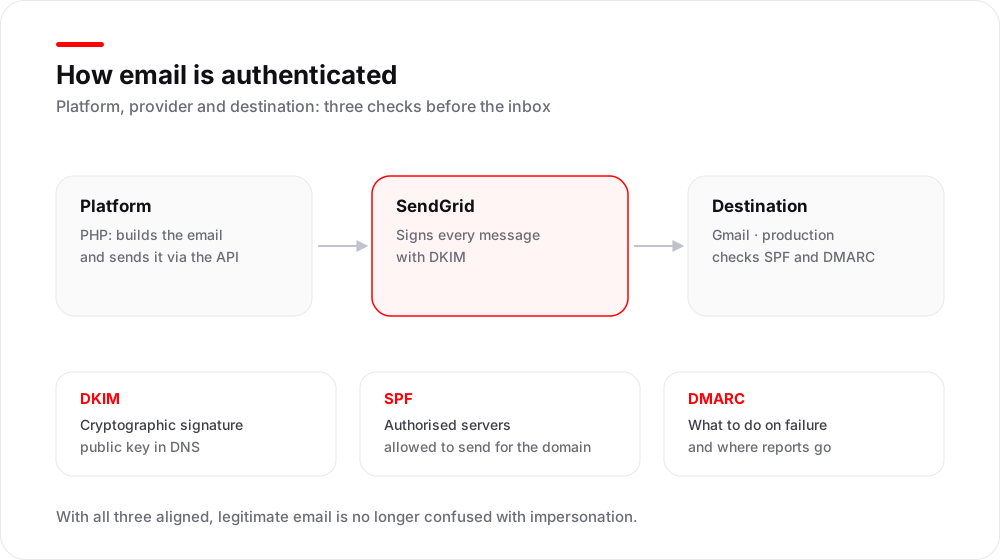 How email is authenticated: the DKIM signature, SPF and the DMARC policy are what separate a legitimate send from impersonation.
The solution: contain, authenticate and rotate credentials
The work was organised around three fronts: taking the compromised credential out of circulation, authenticating the domain so it could be trusted again, and securing access to the account. In three days the configuration was ready and the provider had everything it needed to review the reactivation.
Authenticating the domain in SendGrid
The three signing CNAME records the provider requires were set up, the sender was verified and a DMARC policy was published in monitoring mode. Each message now leaves signed with DKIM, SPF declares which servers may send and the domain is ready for receivers to tell legitimate mail from impersonation.
Revoking the compromised key and creating a send-only one
The old key was revoked and a new one was created with the minimum permission: send only, with no ability to manage the account or change settings. It was documented and deployed in the three components of the system that send email, so none of them was left using the dead credential.
New password and second factor
The client changed the account password and enabled two-step verification by SMS. From then on, access to the account no longer depends on a single password, and the damage from a future leak is not the same.
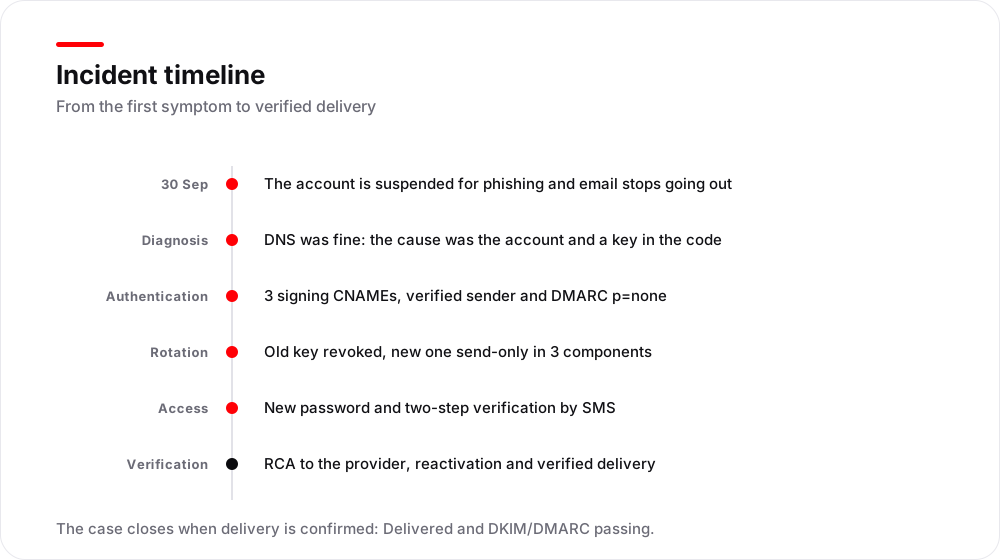 The incident sequence: first the cause is found and cut, then the domain is authenticated and delivery is verified.
How we did it in three days
Diagnosis before configuration
Before touching anything we ruled out the likely causes: the domain resolved correctly and the records were right, so the problem was not DNS. Checking the provider account and then the code was what put the incident in its place.
Without taking the site down
The platform kept running and generating quotes throughout the work: the changes were made to the sending configuration, not to the application. Everything was checked with controlled test sends before the job was called done.
Documenting and answering the provider
The incident was documented with its cause, the actions taken and the new credentials, and the report the provider requires to reactivate the account was prepared. Without that document the reactivation does not move: the provider needs to know what happened and what was fixed before restoring the service.
Results
The account became active again and email returned to the inboxes. Verification used the two facts that matter: every test send showed as Delivered and the DKIM and DMARC checks passed. The messages that had never left were resent.
| Item | Before | After |
| API key | Written into the code, with sending permission | Revoked; a new one restricted to sending, in the three components |
| Domain in SendGrid | Not authenticated | Authenticated with DKIM signing by CNAME and a verified sender |
| Account access | Password only | New password and two-step verification by SMS |
| Cause of the outage | Put down to DNS | Documented: account suspended for phishing with the leaked key |
| Email delivery | Suspended since 30/09 | Restored and verified: Delivered, DKIM and DMARC passing |
The result that matters most is not a number: the credential used for the phishing no longer exists. Even if it had leaked again, it could not have been used to send in the company's name.
What to check if your platform's email stops arriving
In our experience, these are the points that separate a contained incident from an account compromised for weeks:
- A suspended account is not a DNS problem. Before touching SPF or DKIM, check that the provider account is still active and why it stopped being.
- Keys do not belong in code. A key with sending permission written into the project is an open door for anyone with access to the repository or a backup.
- Every key, with the minimum permission. If it only sends, it should not be able to manage the account or change settings: the damage from a leak is far smaller.
- An authenticated domain. DKIM signing by CNAME, a verified sender and DMARC in monitoring mode with a rua address to receive the reports.
- A second factor on the account. A new password and 2FA by SMS or, better, with an authenticator app.
- An incident report the provider can evaluate. Reactivation is not requested over the phone: you answer an RCA with what happened, when and what was fixed.
If your platform sends email and you do not know which credential it uses, our cybersecurity page explains how we work, and if you prefer to review your own case you can get in touch.
Frequently asked questions
Why did the emails stop arriving if DNS was fine?
Because DNS resolves the domain, but it does not authorise sending. The domain resolved correctly and the problem was in the provider account, which was suspended: a suspended account rejects sends even when the records are perfect. That is why the first step of a serious diagnosis is to separate the two things: delivery (DNS and authentication) and the account (status and credentials).
What happens when an API key is left in the code?
That anyone with access to the code — or to a copy of the repository, or a backup — can send email in the company's name without going through the platform. In this case it was used for phishing, and the consequence was not only the fraudulent sending: the provider suspended the account and with it all legitimate email went down. A send-only key reduces the damage, because it cannot manage the account or change settings.
What is domain authentication and what are DKIM, SPF and DMARC for?
Authenticating the domain is proving that whoever sends in its name is authorised to do so. DKIM signs every message with a key published in DNS; SPF declares which servers may send; and DMARC tells the receiver what to do when a message fails those checks and where to send the reports. With all three, legitimate email stops being confused with impersonation.
Can the emails that were never sent be recovered?
The ones that never left can: they are resent from the platform once delivery is restored, taking care not to duplicate the ones that did go out and to check whether any have expired. The ones the provider rejected are in no queue at all: they have to be regenerated. That is why a resend is planned from the list of messages for the period, never blind.
What prevents this from happening again?
Three things. Getting credentials out of the code and into a manager or environment variables; restricting every key to the minimum it needs; and enabling a second factor on the provider account. None of them is expensive. All three together would have changed the incident: a key that is not in the code cannot be read from a repository, and a send-only key cannot touch the account settings.